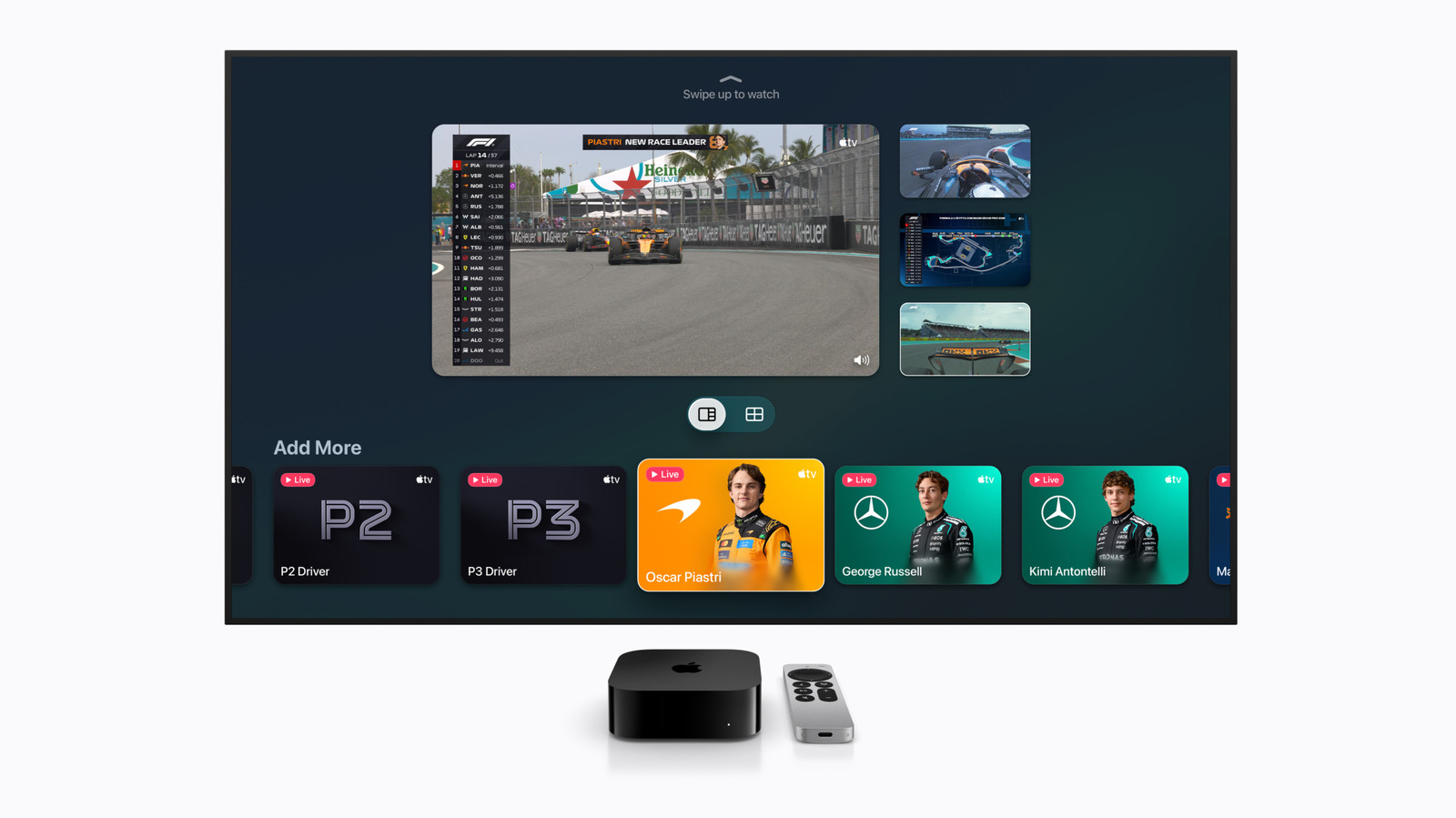
Apple TV 4K multiview: How to watch four live sports feeds at once
Key takeaways
- Plus some tips if you don't have or want Apple TV.
- When it comes to following your favorite sports, it's a bummer to have to pick just one game to watch when there are several happening at the same time.
- To use the multiview feature in the Apple TV app, you'll need an Apple TV streaming box.
Plus some tips if you don't have or want Apple TV.
Apple Let's face it: more is better. When it comes to following your favorite sports, it's a bummer to have to pick just one game to watch when there are several happening at the same time. Multiview has been available since 2023 on Apple TV, debuting on MLS Season Pass and Friday Night Baseball. Today, motor racing enthusiasts, as well as fans of both pro baseball and soccer, can turn to Apple TV to watch up to four live streams at once with its multiview feature. You just need the right hardware to do so, and to know where to look to access the multistream tool.
To use the multiview feature in the Apple TV app, you'll need an Apple TV streaming box. More specifically, you'll need an Apple TV 4K, but any generation of that model will work. There are three, with the most recent coming in 2022. Since that third-gen device is running the older A15 Bionic chip, recent reports suggest that Apple may be preparing an update soon.